My neighbor lost her keys three times last year. Once at a wedding, once at the gym, and once — this is the good one — inside her own flat, behind a locked door. That’s roughly when she asked me to help her pick one of the best smart locks 2026 has to offer. I ended up spending two weekends comparing models, talking to a locksmith in Jaipur, and reading way too many one-star Amazon reviews. This is what I found.
If you’re tired of duplicate keys, locked-out kids, or just want to know who came home and when, a smart lock solves a real problem. But not every lock sold as “smart” is worth your money.
Why Smart Locks Matter More in 2026 Than Before
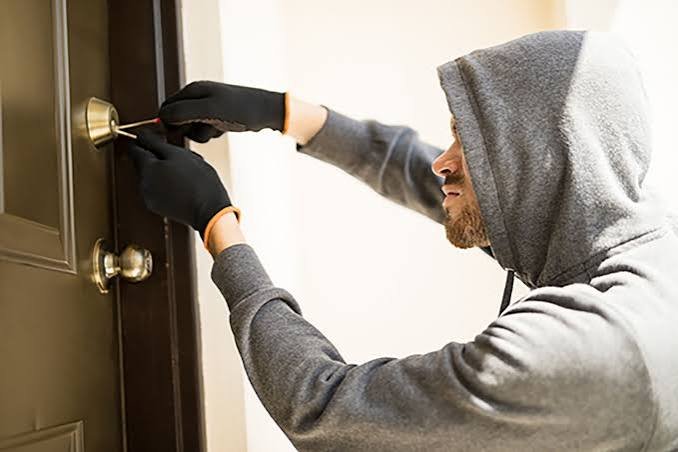
Home burglaries in Indian metros haven’t slowed down, and a good chunk of them still happen through weak entry points — not clever hacking, just a flimsy latch. That’s the boring truth nobody wants to hear.
Smart locks in 2026 aren’t a novelty gadget anymore. They’re closer to a basic home upgrade, like an RO water purifier or a decent CCTV camera. Prices have dropped too — you can get a genuinely usable one for under ₹10,000 now, which wasn’t really true even two years back.
What to Look for Before You Buy
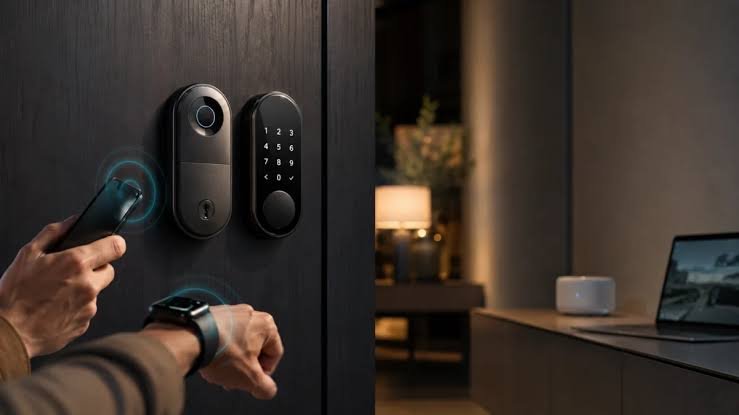
Here’s the direct-answer version: the best smart locks 2026 offers combine at least two access methods (fingerprint plus PIN or app), a metal body rated for humidity, a tamper alarm, and a battery backup of 6+ months. Skip anything plastic-bodied or single-access-only.
Beyond that, a few things matter more than spec sheets suggest:
- Door compatibility — Indian doors aren’t standardized. Measure your bore hole diameter and door thickness before you order anything, not after.
- Offline functionality — a lock that only works over Wi-Fi is a liability during a power cut or router issue.
- Warranty and local service — a lock is only as good as the technician who can fix it when the motor jams at 11pm.
- App reliability — some apps are genuinely awful. Read recent reviews, not the ones from launch week.
Honestly, I’ve noticed most buyers obsess over the fingerprint speed and completely ignore the warranty terms. That’s backwards.
Top Smart Lock Brands Worth Considering in India
Yale — The Safe, Boring Choice
Yale locks tend to sit at the premium end, usually somewhere between ₹10,000 and ₹20,000 depending on the model. They’re not flashy, but the build quality is consistent, and the brand has decades of lock-making history behind it. If you want something you won’t think about again for five years, this is probably it.
Godrej — The Familiar Name
Godrej has been making locks in India for generations, and their smart lock range benefits from that trust. Mid-range pricing, decent after-sales network, and models that specifically account for Indian door frames.
Qubo (by Hero) — Good Value, Dual Connectivity
Qubo’s smart locks often support both Wi-Fi and Bluetooth in the same price bracket where competitors pick one. That’s a genuinely useful combination for apartment dwellers who want remote access without paying premium prices.
Budget Options (LAVNA, EPIC, and similar)
There’s a growing crop of budget brands offering 5-6 access methods — including guest OTP codes — for under ₹5,000. Picture a small business owner in Jaipur who wants staff to have time-limited access without cutting new keys every time someone leaves. A budget lock with OTP access solves exactly that, even if the build quality isn’t premium-grade.
Fingerprint vs PIN vs App: Which Access Method Should You Actually Use?
Most people default to fingerprint because it feels futuristic. Fair enough. But relying on just one method is risky — wet hands, cold weather, or a dead sensor can lock you out.
A layered approach works better:
- Fingerprint as your primary, everyday method
- PIN code as backup (works even when your hands are wet from cooking, which happens more than you’d think)
- App or RFID card for guests and family members who don’t live there full-time
[link to related guide on choosing between biometric vs keypad locks here]
Installation: DIY or Call a Professional?
Short answer: most mid-range and premium locks in 2026 include free professional installation, and you should take it. A poorly fitted smart lock — even a great one — will misalign over time and jam.
If you’re handy and going the DIY route, budget an hour, a power drill, and patience for the strike plate alignment. That part trips up almost everyone on their first attempt.
Smart Home Integration: Is It Worth Paying Extra For?
Some best smart locks 2026 models now support Alexa and Google Assistant, letting you check lock status by voice or set automated routines. Is this essential? Not really. Is it nice to have if you’re already building out a smart home setup? Sure.
I’d skip paying a premium purely for voice integration unless you’re already deep into that ecosystem. It’s a nice-to-have, not a deciding factor.
Common Mistakes People Make When Buying a Smart Lock
- Ordering without measuring door thickness first
- Choosing based on price alone and ignoring the body material
- Skipping the tamper alarm feature to save a few hundred rupees
- Assuming Wi-Fi locks work fine during power outages (they often don’t without backup batteries)
- Not checking if the brand has service centers in their city
Has something like this happened to you — bought a gadget, only to realize later it doesn’t fit your actual setup? Smart locks are an easy place for that mistake to happen.
How Much Should You Budget in 2026?
Entry-level locks with basic fingerprint and PIN access start around ₹4,000-5,000. Mid-range options with better build quality and multiple access methods land between ₹8,000 and ₹15,000. Premium locks with app integration, voice assistant support, and extended warranties can go up to ₹30,000-35,000.
For most homes, the mid-range bracket offers the best balance. You’re not paying for features you’ll never use, but you’re also not compromising on the metal body and tamper alarm that actually matter.
Frequently Asked Questions
Are smart locks actually safer than traditional locks? Generally, yes — most come with encryption, tamper alarms, and multiple access layers that a traditional key-and-latch setup simply doesn’t offer. That said, a badly installed smart lock isn’t automatically safer than a well-installed traditional one.
Do smart locks work during a power cut? Most run on internal batteries, so yes, they’ll keep working. The Wi-Fi or remote-control features might be affected, but fingerprint and PIN access usually still function.
Can smart locks be hacked? It’s technically possible with any connected device, but reputable brands use encrypted communication and require physical proximity for Bluetooth-based unlocking, which limits the risk considerably.
Will a smart lock fit my existing door? Not always automatically — Indian doors vary in thickness and bore hole size. Always check the manufacturer’s compatibility chart before ordering, or better yet, have someone measure your door first.
How long do smart lock batteries last? Anywhere from 6 months to a year with regular use, depending on the model and how often the app/Wi-Fi features get used. Most locks also warn you well before the battery dies.
Is it worth buying a smart lock for a rented apartment? Bluetooth-only models are a good fit here since they don’t need permanent wiring changes, and you can take them with you when you move.
Final Thoughts
Picking the best smart locks 2026 has on offer really comes down to matching the lock to your actual door, your household, and how much you’re willing to spend on peace of mind. Don’t get pulled in by spec sheets alone — a fingerprint sensor that’s 0.1 seconds faster doesn’t matter if the body rusts in six months.
If you’re upgrading your main door, spend the extra money on build quality and a real warranty. If it’s a second entry point or a rental, a budget Bluetooth lock does the job just fine.
Measure your door, read recent reviews (not launch-week ones), and pick something with at least two access methods. That’s really it.
[link to related guide on smart home security cameras here] [link to related article on comparing Wi-Fi vs Bluetooth smart locks here]